You can start with a prompt, generate a full design system, and ship a working WordPress theme — all without opening a traditional design tool. This workflow uses Paper MCP to create design tokens and page layouts, Claude (cloud terminal) to orchestrate the process, VS Code to receive the output, and a blank WordPress install using the 2025 block theme to finish the site.
Table of Contents
- Why this workflow matters
- High-level workflow
- What the process looks like
- Moving styles into WordPress (theme.json)
- Generating the homepage with core blocks
- Tweaks and common issues
- Tips to get better output
- Where this approach shines (and where to be cautious)
- Final thoughts
- FAQ
Why this workflow matters
Designers and developers constantly hand off visual specs, colors, typography, and component rules. Automating that handoff into a WordPress block theme speeds up iteration and reduces mistakes. With Paper MCP you can:
- Generate a design system — typography, colors, spacing, radii, and components from a single prompt.
- Export tokens and files directly into a working theme.json and theme assets.
- Create pages with core blocks so the output is editable inside WordPress’ block editor.
High-level workflow
- Use Claude (or another agent) to prompt Paper MCP to create a design file and components.
- Export the design system and assets into VS Code via MCP.
- Map tokens into theme.json for the WordPress 2025 theme.
- Generate the homepage using only core blocks and template parts.
- Tweak layout and styles inside WordPress or VS Code as needed.
What the process looks like
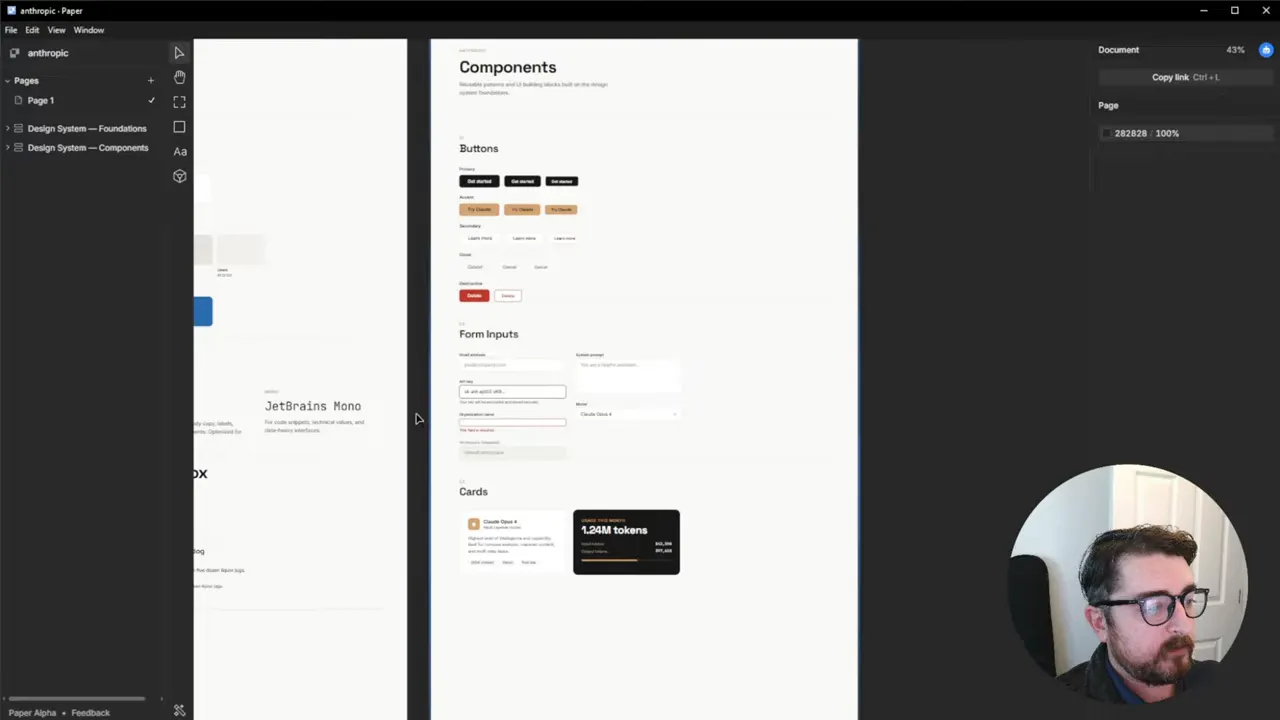
Start by telling your cloud agent to create a design system in Paper for the brand you want: brand colors, headings, spacing, components, and a homepage layout. Paper will assemble a file with a design page and a components/patterns page. This is the single source of truth the rest of the pipeline reads from.
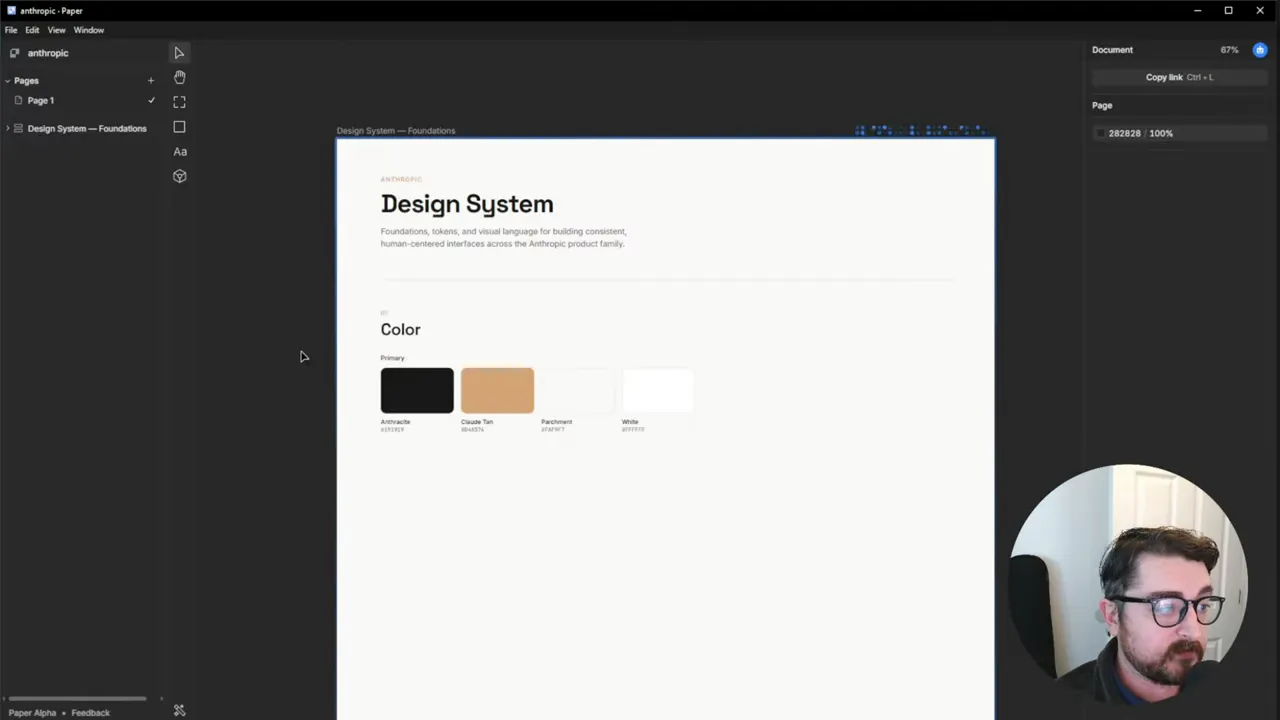
After Paper finishes the design system, it will generate components: buttons, cards, inputs, alerts, banners — everything you’d normally define in a UI kit. Having those tokens and components up front makes the theme.json mapping straightforward and reliable.
Moving styles into WordPress (theme.json)
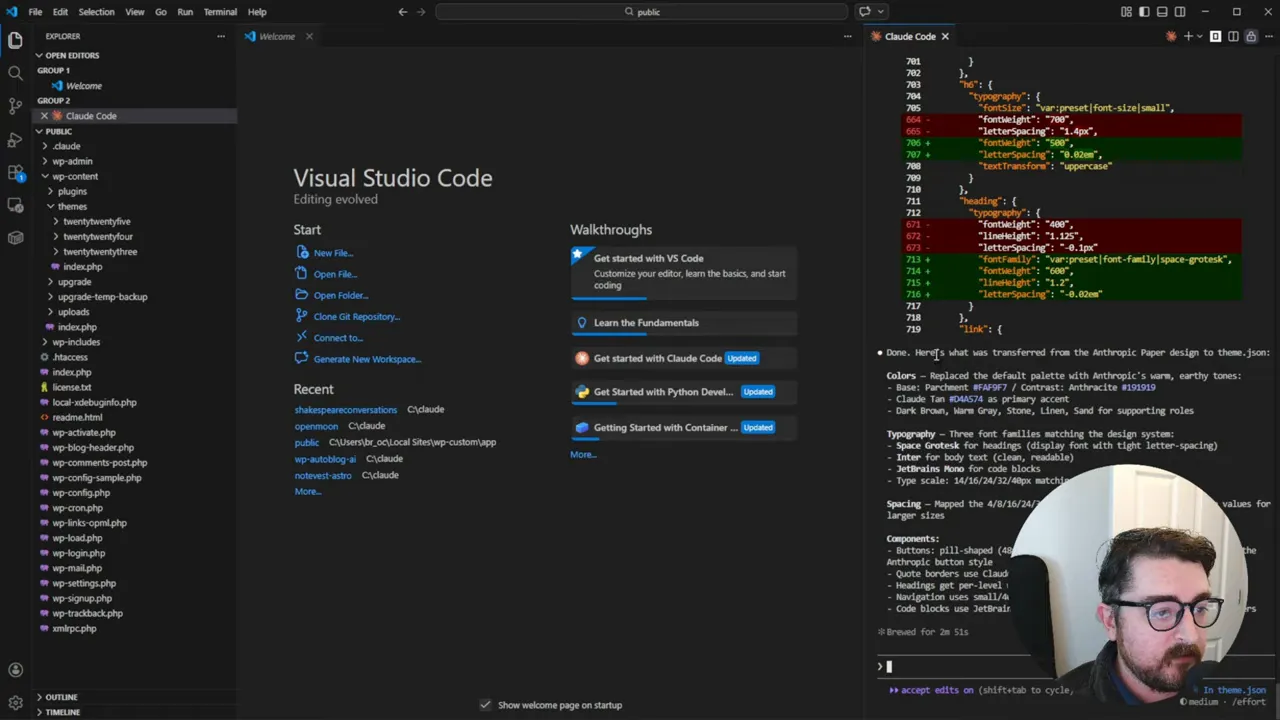
With the Paper design available via MCP, ask the agent to transfer the design tokens into the 2025 theme’s theme.json. The agent maps colors, spacing scales, font families, radii, and other tokens directly into theme.json. It can also download and place font files into your theme if you approve.
Some practical notes:
- Font approvals: the agent may prompt to download fonts. If your local demo already has the fonts in a font directory, approving is quick. Otherwise approve or upload fonts manually.
- Variable tokens: Paper does not yet expose a variable token system in every build; Pencil has a variable tokens feature if you need that now.
- Theme mapping: the agent will update theme.json automatically, adding colors, spacing, and typography for block styles and global settings.
Generating the homepage with core blocks
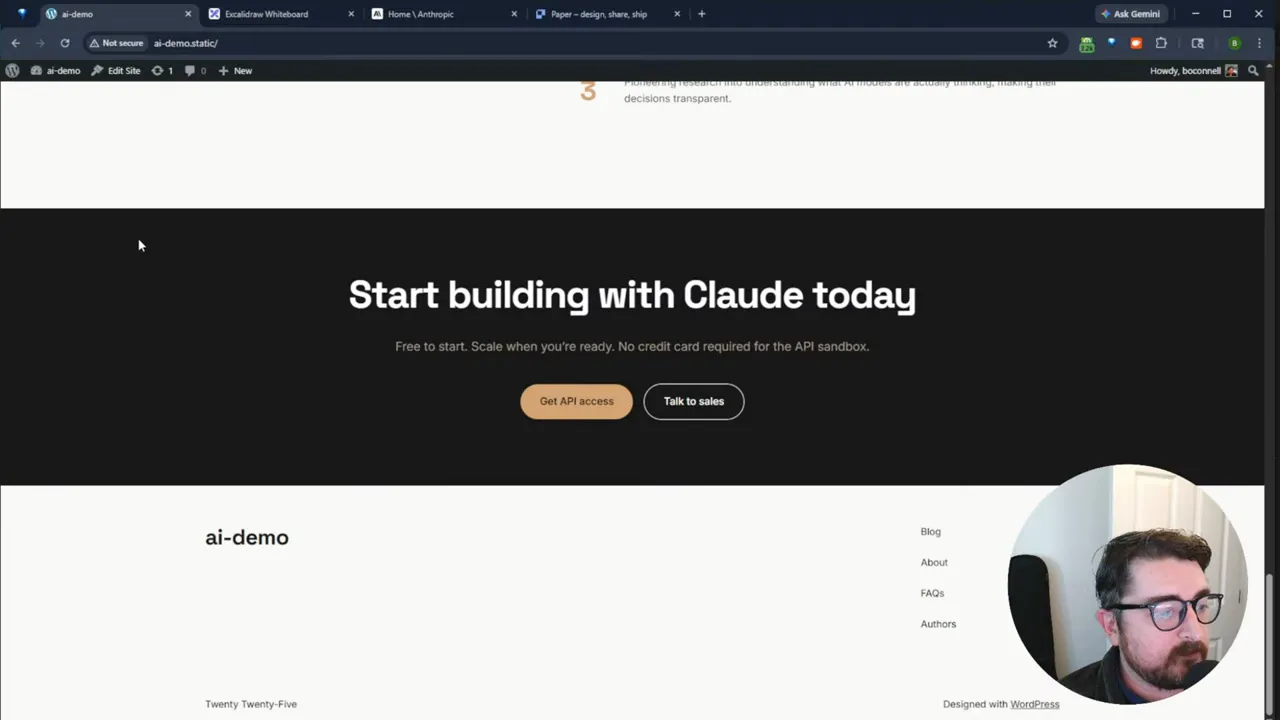
Next, instruct the agent to build a homepage from the Paper design using only core blocks. The goal here is semantic block markup so the page remains editable in the WordPress block editor and template parts like header and footer are created as template files.
The generated front-page.html is built section by section — hero, social proof, capabilities, model, safety, CTA, and footer. Because the agent uses core blocks only, some advanced positioning (absolute/relative tricks or custom icons) may be hard to reproduce exactly, but you get a fully editable starting point in the editor.
Tweaks and common issues
The first pass is rarely perfect. Expect minor layout issues and block markup fragility in places. Typical fixes include:
- Max-width and constrained layout — hero and section widths often need adjustments. A quick prompt like “change layout from flex to constrained width on the hero” usually fixes it.
- Icons and custom assets — core blocks are limited. Missing icons and complex badge positioning may need manual CSS or SVG insertion in the theme.
- Database access — the agent may need explicit DB connection info in some environments to edit WP content programmatically.
- Block markup fragility — AI-generated nested block HTML can occasionally break; use the block editor’s attempt recovery to repair blocks or refine the agent prompt to create cleaner markup.
Tips to get better output
- Use clearer prompts — establish constraints (grid widths, spacing scale names, token prefixes) in your initial Cloud.md or agent prompt.
- Install WordPress CLI — with WP-CLI available the agent can install plugins or block patterns from the repo and configure them automatically.
- Store design tokens — when Paper or Pencil expose variables, map those to a tokens file for reuse across projects.
- Expect iteration — a few quick prompts and fixes inside WordPress will get you to the final pixel intent much faster than traditional handoffs.
Where this approach shines (and where to be cautious)
This workflow is ideal when you want to move quickly from concept to a live, editable block theme. It is especially useful for:
- Prototyping production-ready WordPress themes from design specs
- Onboarding new projects with consistent system tokens and components
- Automating repetitive setup tasks across sites
But be mindful that:
- Complex, bespoke interactions still require manual front-end work.
- AI-generated markup can be fragile; validate the accessibility and semantics afterward.
- Some design tool features like variable tokens may not be available yet in every builder.
Final thoughts
Treat Paper MCP plus an agent as a powerful accelerant for design-to-code workflows. It is not a magic one-click cure for every edge case, but it dramatically reduces friction between design intent and a working, editable WordPress site. You get the speed of prompt-driven design with the practicality of theme.json tokens and core block layouts.
FAQ
Can this replace designers?
No. This accelerates the translation of design decisions into code and reduces manual handoff friction. Designers are still essential for creative direction, interaction design, and decisions that require context and nuance.
Do I need to use the 2025 theme?
No. 2025 is convenient for demos because it is a block-first theme. You can target other block themes, custom themes, or even page builders. With WP-CLI the agent can install and configure many options automatically.
What about fonts and assets?
The agent can download and place fonts into your theme, but you will often need to approve downloads. If you want full control, upload fonts manually and reference them in theme.json.
How reliable is the block markup generated by AI?
It varies. Core blocks are safer and editable; however, nested block HTML can be fragile. When you encounter “attempt recovery” notices, use the editor tools to fix blocks or prompt the agent to restructure the markup.
Where does this fit in a production pipeline?
Use it for prototypes, internal tooling, or as a scaffold for full themes. After generating the theme you should review accessibility, performance, and browser quirks before shipping to production.