Table of Contents
- Why these tools matter
- What Paper and Pencil do
- How the workflow actually feels
- Under the hood: MCP and agent connections
- Playful prompt example: the haunted smart toaster
- Where these tools fit into a team workflow
- Practical tips to get started
- Pros, cons, and reality check
- Next steps and ways to experiment
- FAQ
- Final thoughts
Why these tools matter
If you design or build interfaces, the rise of agentic design tools is worth paying attention to. Paper.design and Pencil.dev are not just another pair of Figma lookalikes. They let you drive design with prompts, iterate through chat, and export real HTML, CSS, and JavaScript instead of locked-in design files. That changes the input and output of a typical design workflow—and it can speed up how you prototype, share, and ship UI.
What Paper and Pencil do
Both tools use an MCP (messaging control plane) approach to connect a chat-like agent to the canvas. You type a prompt, the agent generates a full design (components, tokens, layouts), and you can request iterations or different versions through conversational commands. Crucially, the output is code you can drop into an IDE or a CMS, which frees you from proprietary formats.
Quick example: a playful test run
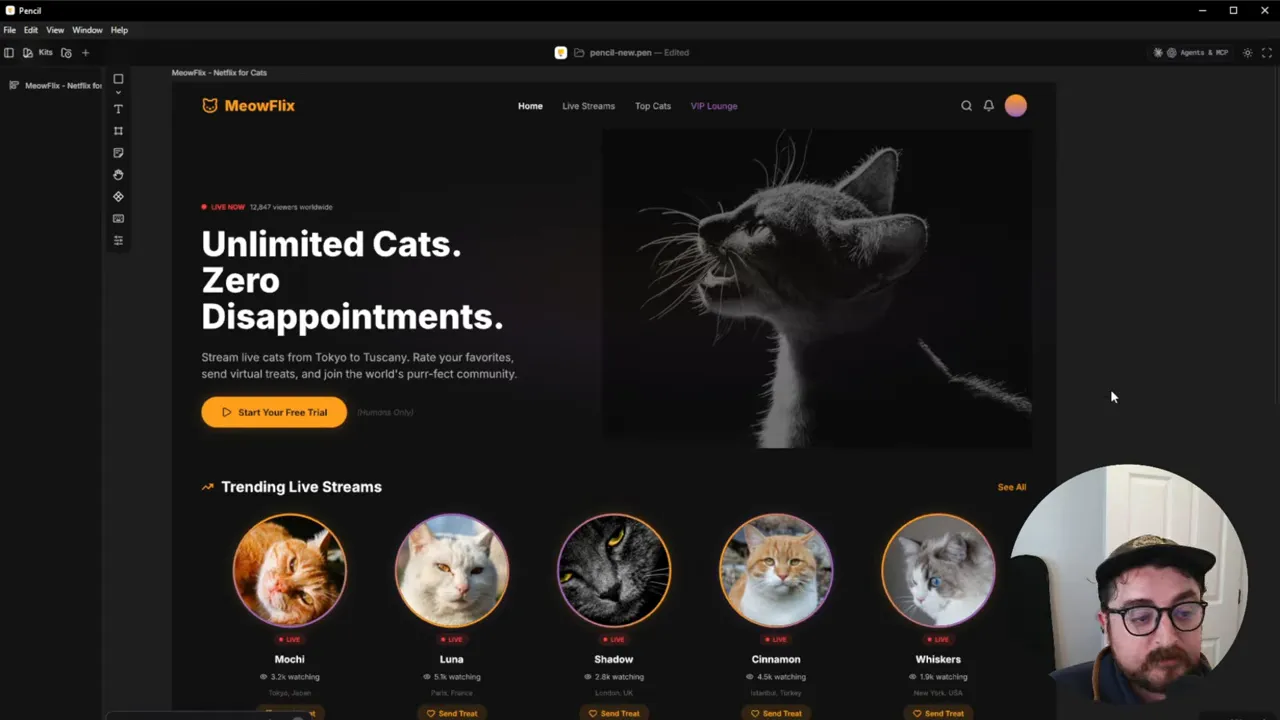
To see how these systems think, try a weird, specific prompt. One example: a “Netflix for cats” landing page. Both tools created a dark-mode hero, a grid of live streams, color tokens, and editable copy—generated from a single prompt in about a minute.
How the workflow actually feels
The workflow is roughly:
- Prompt — Describe what you want: layout, tone, color palette, components, copy, and micro-interactions.
- Generate — The agent builds pages and components on the canvas. You can often see the cursor move as it creates assets and layouts.
- Iterate via chat — Ask for variants, tweak spacing, change a color token, or request alternate states for a component.
- Export code — Output HTML/CSS/JS that you can push to your preferred environment (VS Code, WordPress, or a framework of choice).
Under the hood: MCP and agent connections
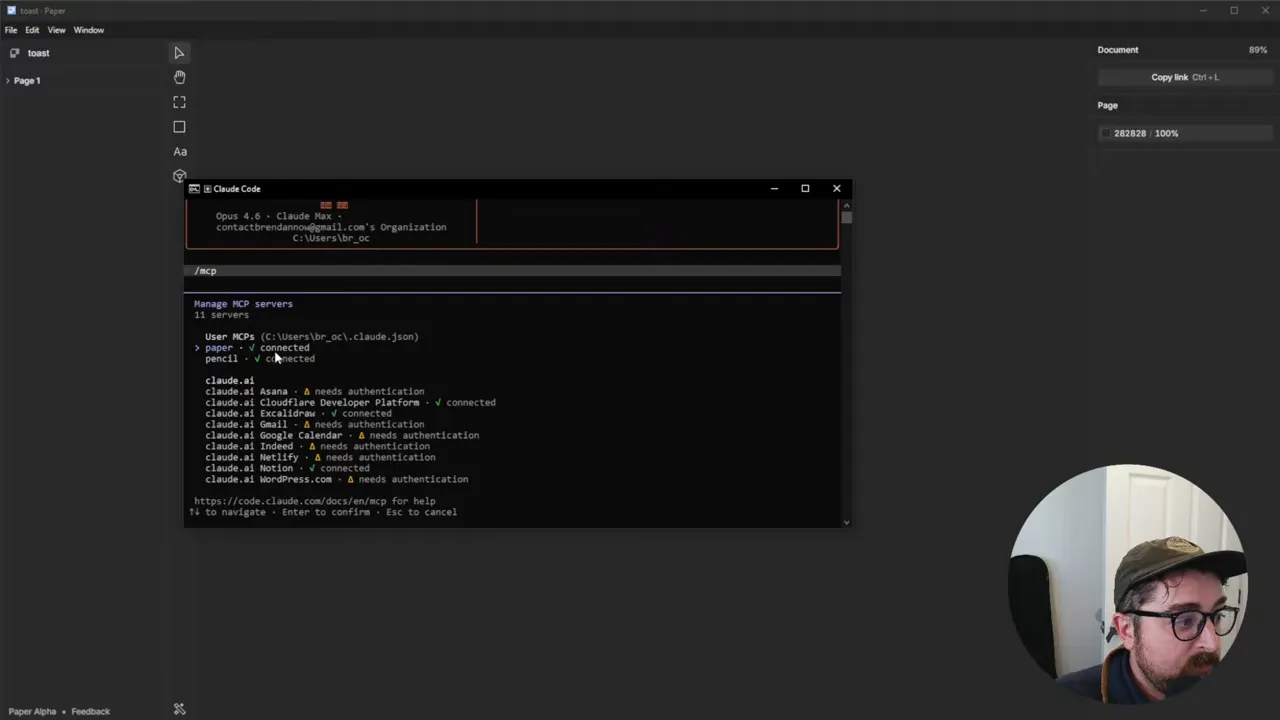
Pencil.dev can be hooked up to Claude Code and other agents like Codex or Cursor. Paper also supports an MCP connection. You need the desktop app to use MCP. Once connected, the agent can read and write the design file, inspect pages, and run second-pass improvements, which means it can plan multiple screens ahead—not just generate a single artboard.
Playful prompt example: the haunted smart toaster
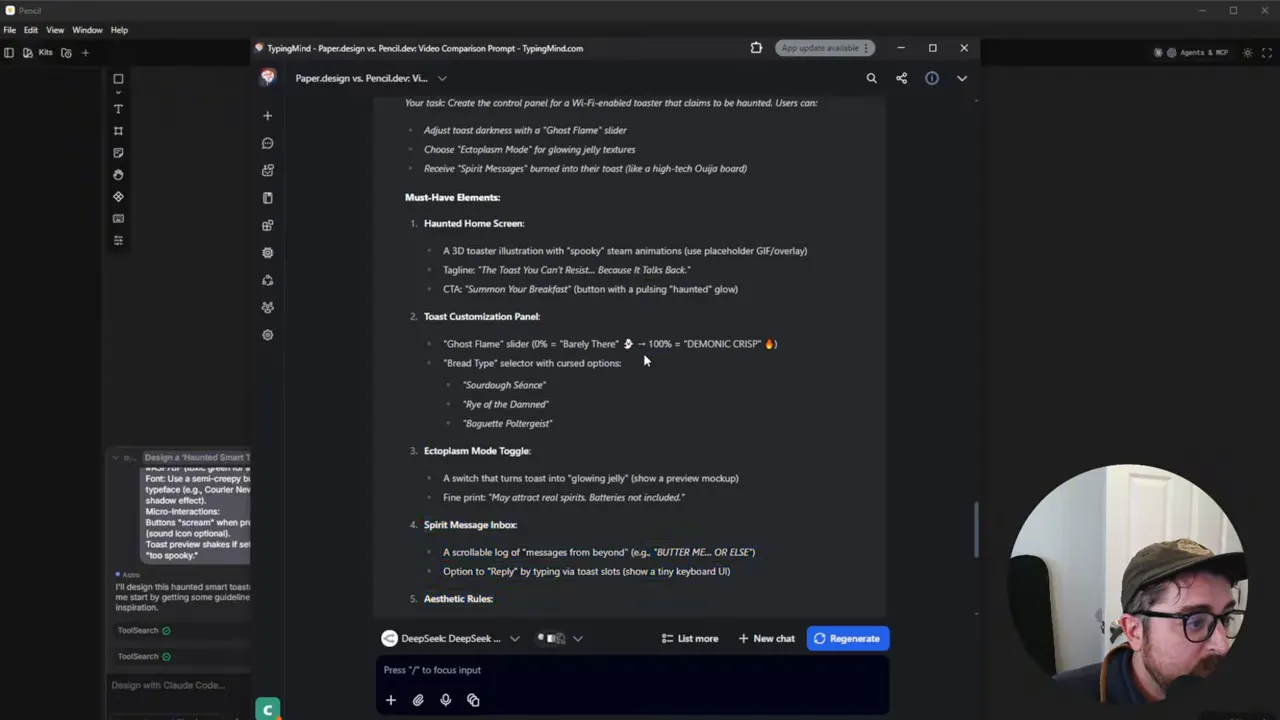
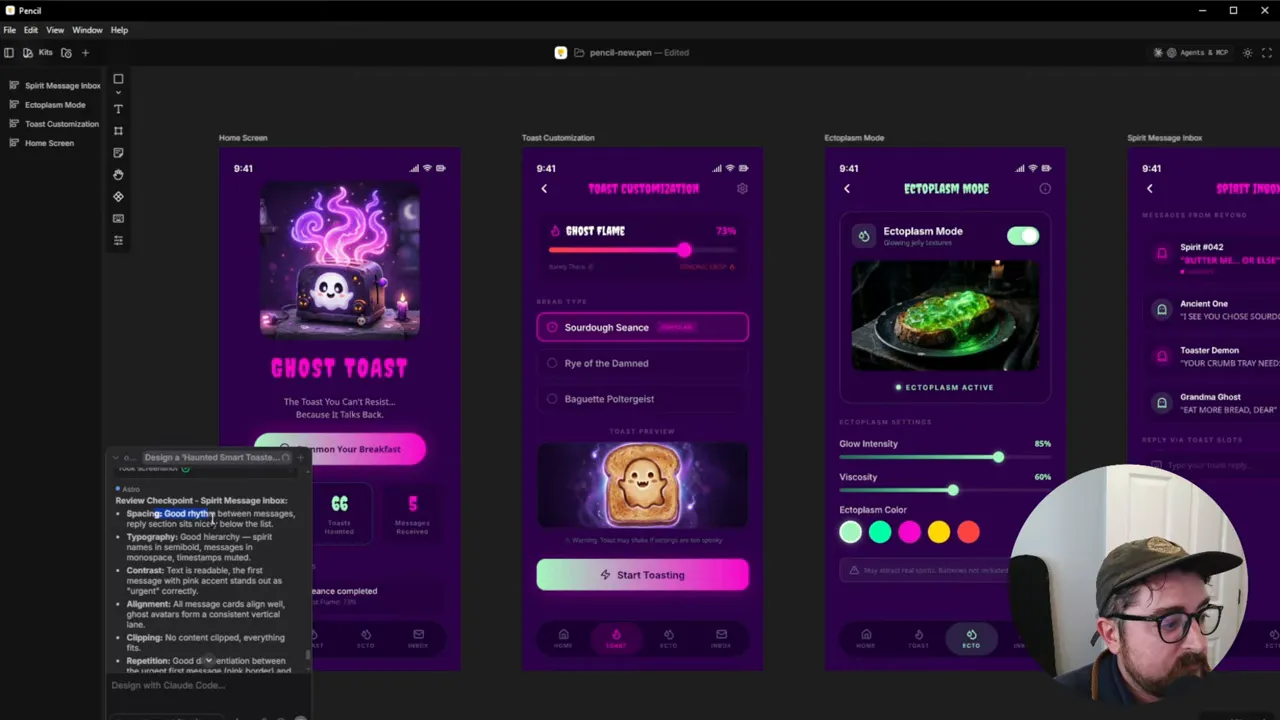
This is where the tools get fun. Try a singular, absurd brief—say, a Wi-Fi-enabled toaster that claims to be haunted. Prompt elements might include:
- Home screen with a 3D toaster illustration and spooky steam animations
- Controls like a ghost flame slider and an ectoplasm mode toggle
- Microcopy like “The toast you can’t resist because it talks back” and a CTA “Summon your breakfast”
- Color palette: purple neon, pink, and toxic green; font: Courier New
Both Paper and Pencil produced cohesive app screens, states, and even novel copy that matched the brief. Pencil tended to produce bolder, more colorful variants, while Paper sometimes preferred a cleaner, more refined aesthetic. Both nailed the playful prompt and generated interactive states and specs.
Where these tools fit into a team workflow
These tools are not meant to replace a designer. Instead they take care of the heavy lifting—rough layouts, token creation, component scaffolding, and dozens of variations—so designers can focus on the craft: refining interactions, resolving edge cases, and setting strategy.
For agencies and teams, consider these opportunities:
- Faster proposals: Generate a spec-ready prototype from a written brief in minutes.
- Design-to-code parity: Export working HTML/CSS/JS rather than recreating a design in code.
- Brand rules as input: Store brand tokens and component rules in prompts or design files so the agent respects them.
- Iterative handoff: Let the agent produce 60% of the UI and have designers polish the rest.
Practical tips to get started
- Install the desktop app for Paper and Pencil to enable MCP features.
- Start with a compact, well-structured prompt: describe layout, colors, fonts, microcopy, and required screens.
- Use the chat to iterate. Ask for alternative versions, spacing tweaks, or different states for a component.
- Export early, then import the code into your IDE or CMS to see how the generated HTML/CSS behaves in the real world.
- Build a component library within the tool, and standardize prompts for consistent output across projects.
Pros, cons, and reality check
- Pros: Rapid prototyping from text, real code export, interactive iteration via chat, connects to agents like Claude Code.
- Cons: Prompts still require precision; outputs need designer oversight; some differences in style between tools; desktop MCP setup required for full features.
- Reality: These tools accelerate the early stages and produce usable scaffolding, but experienced designers remain essential for fine polish and accessibility considerations.
Next steps and ways to experiment
Try a small internal project. Give the agent the brand tokens and a few component rules, then generate a landing page and a small app flow. Export to your development environment and iterate. After a couple of runs you will find the prompt patterns that produce consistent, high-quality results.
FAQ
Are Paper and Pencil free to use?
Both have free tiers. Pencil.dev currently offers free usage when connected to agents like Claude Code. Paper has a free plan with limits and paid tiers for more advanced usage. MCP features typically require the desktop version.
Can these tools export usable code?
Yes. Instead of a proprietary format, both can output HTML, CSS, and JavaScript. That code can be imported into an IDE, integrated into WordPress, or adapted for frameworks you prefer.
Do they replace Figma?
Not exactly. They are alternatives for certain workflows, especially when you want a prompt-first approach and code output. Figma still excels as a collaborative design system hub. These new tools change how you might start a project or hand off to devs.
What do I need to connect an agent like Claude Code?
Install the desktop app for Pencil or Paper and follow their documentation to connect an MCP agent. Once connected, the agent can read/write the design file and execute prompt-driven tasks.
Final thoughts
Agentic design tools change the rhythm of design and development by letting text prompts shape interactive interfaces and produce real code. They are not a replacement for craftsmanship, but they can shave off repetitive work and help teams move faster. If you build prototypes, run an agency, or just love experimenting, try a few playful prompts—yes, even a haunted toaster—and see how these tools reshape your workflow.