One question comes up whenever Astro is suggested for a client site: how is the client supposed to edit anything? There is a persistent idea that Astro cannot work with a CMS, or that Astro itself is a CMS. Neither is true.
Astro handles the website’s front end. You can add a content management system that gives clients a familiar admin screen, without making them edit code. Pages CMS, Sveltia CMS, and Keystatic are three free options worth considering. For the right project, they offer a refreshingly simple alternative to WordPress.
Table of Contents
- How a Git-based CMS works with Astro
- Keystatic: an editor integrated with your Astro site
- Pages CMS: a straightforward place to start
- Sveltia CMS: an editor that lives on the site
- Can a Git-based CMS handle more than a small website?
- When WordPress or EmDash makes more sense
- Choose the CMS based on the client’s needs
How a Git-based CMS works with Astro
WordPress brings the editor, database, and theme together in one platform. That is useful when a site needs those pieces working closely together, but it also means managing a database and the software running the site.
With a Git-based CMS, content can live as Markdown, JSON, or YAML files in the same GitHub repository as your Astro code. The CMS puts a visual editor on top of those files. When someone saves an edit, it commits a change to GitHub. Your hosting platform detects that commit, rebuilds the Astro site, and publishes the updated pages.
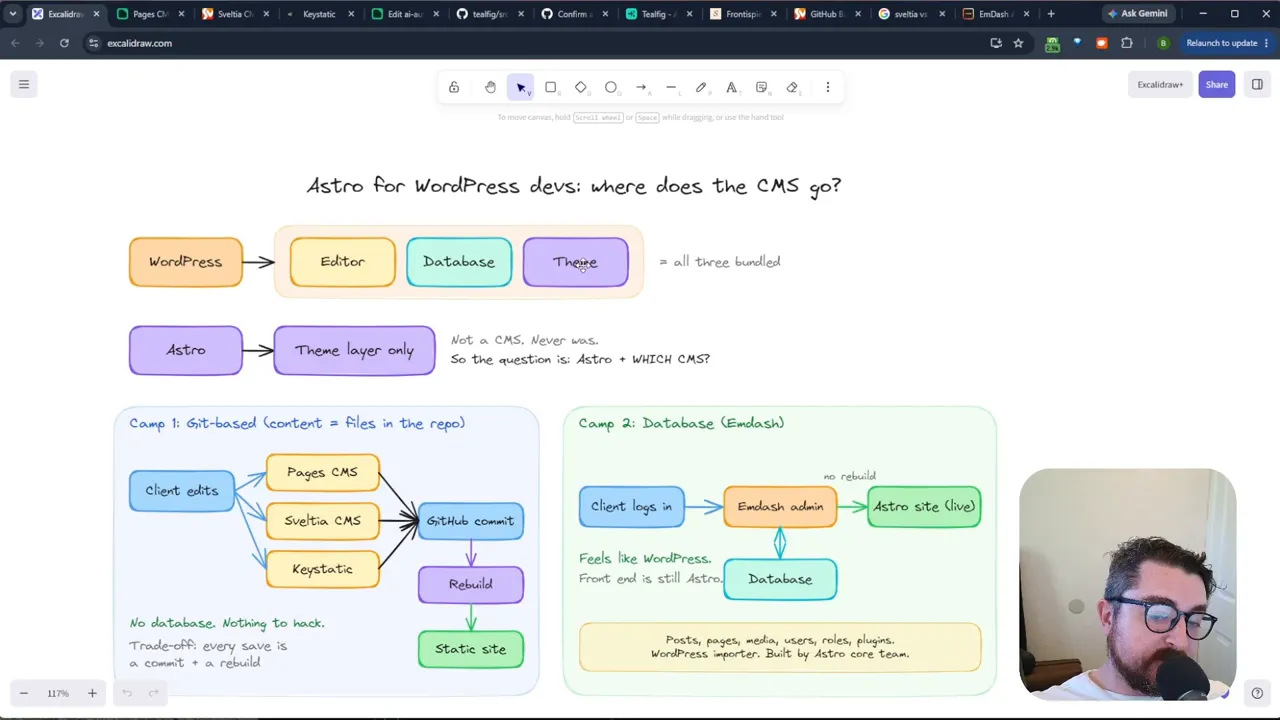
That changes the maintenance picture. There is no content database to back up or PHP server to patch for these Git-based setups. GitHub also keeps a history of edits, so an accidental change can be reverted with a commit. The client does not have to learn Git to benefit from that history.
There is a tradeoff: content changes require a rebuild. That is usually fine for a brochure site or portfolio, but rebuild time becomes more noticeable as a site grows.
Keystatic: an editor integrated with your Astro site
Keystatic is a natural option to explore with Astro. You define the content structure in a TypeScript file and can access its editor through a route on your site, such as /keystatic. It can save changes to local files during development, then work with a GitHub repository when you switch modes.
The main setup consideration is authentication. For the admin area to communicate with GitHub, that part of the site needs a server-side adapter, such as a Cloudflare adapter. Alternatively, Keystatic Cloud handles login and offers a free tier for small teams. Neither approach is particularly scary, but it is an extra decision to make before handing the site to a client.
Pages CMS: a straightforward place to start
If you want the simplest starting point, I would look at Pages CMS first. Rather than adding a substantial integration to your Astro project, you add a pages.yml configuration file and define which content collections and fields should be editable.
In one setup, the admin screen exposes blog posts, case studies, and tools that correspond to collections in the GitHub repository. An editor can open a post and work with defined fields instead of digging through a file. Those fields can include category dropdowns, image uploads, relationships between items, draft toggles, and rich text.
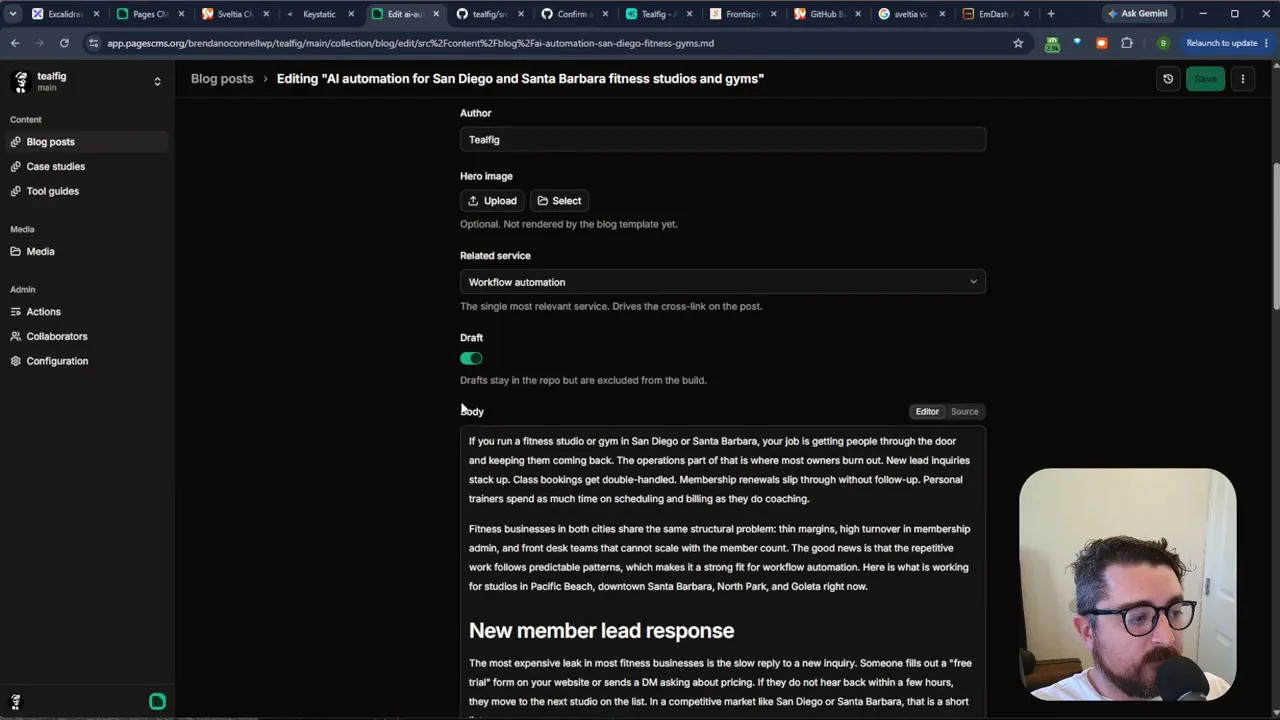
It is not limited to posts, either. You can define global settings for things like navigation and footer content, giving clients control over the parts of the site they actually need to maintain.
Pages CMS has another practical advantage for client work: you can invite collaborators by email without requiring them to create a GitHub account. The service has a free version, and self-hosting is an option if you would rather manage it yourself.
Sveltia CMS: an editor that lives on the site
Sveltia CMS follows in the footsteps of Netlify CMS and Decap CMS. It reads the same configuration format as Decap, which makes it especially interesting if you already have an older Decap site and want to change editors.
The CMS can live directly on your website. Its basic setup uses an HTML file that loads the editor from a CDN. For authenticated GitHub editing, you also need an authentication component. A self-hosted Cloudflare Worker is one option, and the same worker can be reused across client sites.
What matters most to clients is the editing experience. In a site with hundreds of books and plays, the Sveltia admin shows the defined collections and opens an entry with editing fields on one side and a preview on the other. Authors and genres can be selected as relationships, alongside rich text and custom toggles. Saving sends the change to GitHub, where the version history remains available.
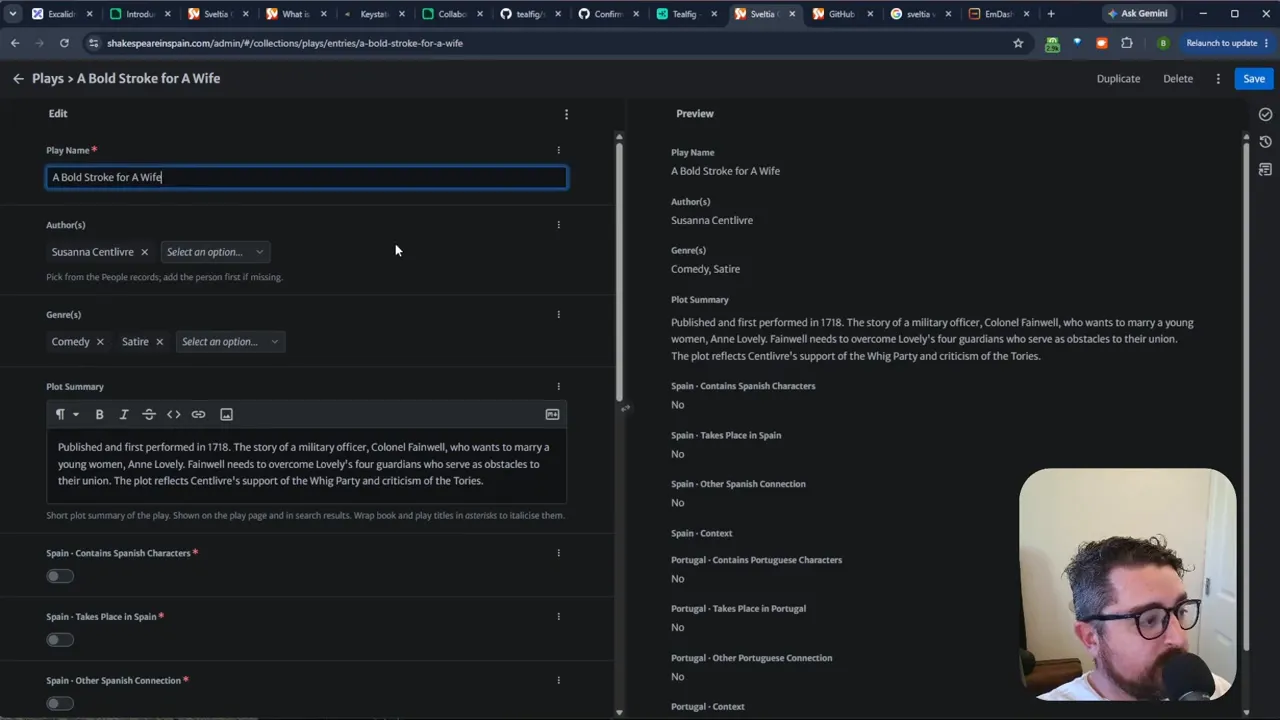
Site settings can be editable here too, including homepage content. The important point is that a Git-based CMS does not restrict you to a list of blog posts. You decide which custom fields belong in the editor and connect them to the site.
Can a Git-based CMS handle more than a small website?
Absolutely. A static Astro site can support a substantial directory with many entries, filters, and facets. Each listing can be a content file, Astro builds its page, and filtering can happen in the browser. The books and plays example is a good reminder that file-based content is not automatically limited to a five-page brochure site.
Still, “can it?” is different from “should it?” As the number of pages rises, every content update can take longer to build. Think about how often content changes and how quickly it needs to go live, not just the number of entries you have today.
When WordPress or EmDash makes more sense
WordPress is still very relevant. If site visitors create the content, a database-backed system is often the better fit. Think user accounts, member-only content, visitor-submitted listings, and ecommerce. WooCommerce, in particular, is a robust reason to choose WordPress when online selling is central to the project.
There is also EmDash, Cloudflare’s newer take on a WordPress-like content platform. It is different from the three Git-based CMSs above: its content is not all stored in Git, it uses a database, and publishing does not depend on rebuilding a static site. After importing a WordPress site into it, the admin experience includes posts, media, portfolio pages, testimonials, featured images, and post metadata.
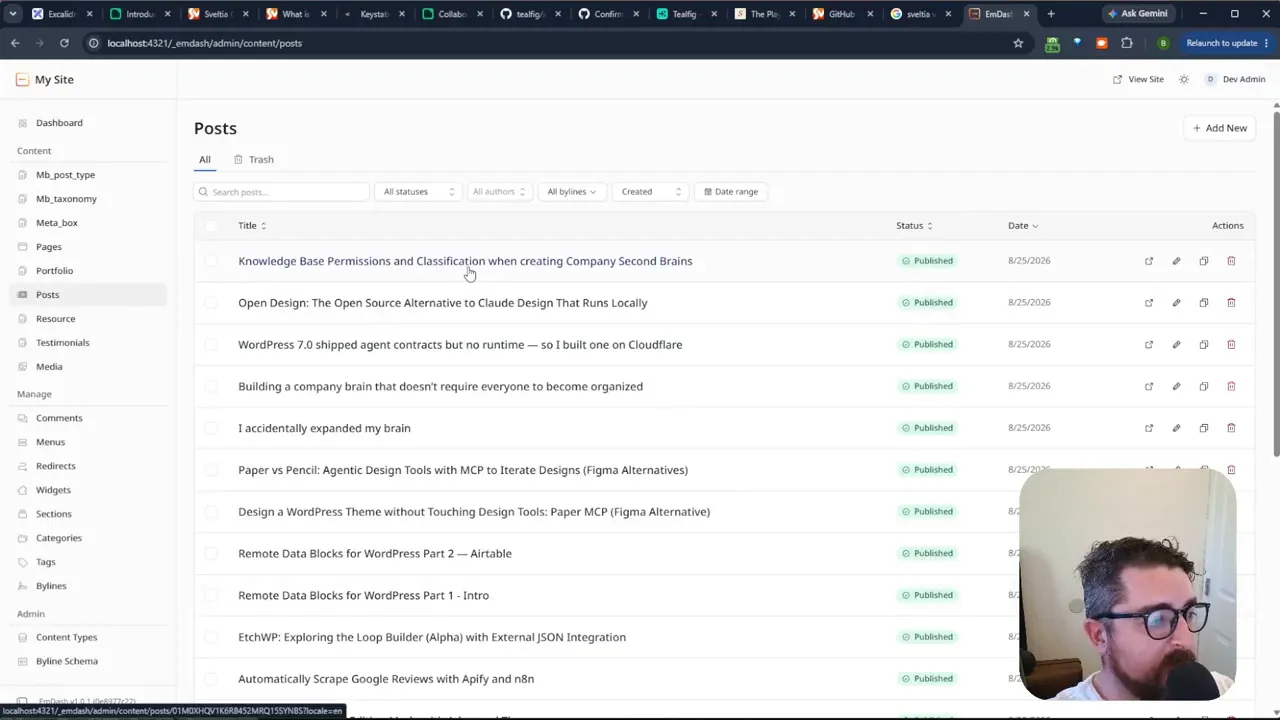
EmDash is worth considering when you want a more familiar database-backed editing model. WordPress remains the established choice when you need its mature ecommerce options or broader plugin ecosystem. The point is not to replace either one on principle. It is to match the architecture to the work the website actually does.
Choose the CMS based on the client’s needs
- Choose a Git-based CMS when the site has structured content edited by a small team and does not need visitor accounts, gated content, an LMS, or ecommerce.
- Start with Pages CMS if you want a simple configuration and email invitations for clients who do not use GitHub.
- Consider Keystatic if you want an editor closely integrated with your Astro project and are comfortable choosing an authentication approach.
- Consider Sveltia CMS if you want an editor on the site, particularly when working with an existing Decap configuration.
- Reach for WordPress or another database-backed system when users, roles, plugins, transactions, or frequently changing dynamic content are central to the site.
Astro is versatile enough to support more than static pages, and these are only a few of the CMS options available for it. The useful question is not whether a client can edit an Astro site. They can. The question is which editing workflow gives them what they need without making the project more complicated than it has to be.