You want to dump everything into the second brain — transcripts, pricing discussions, internal language, process details. But not everyone should see everything. Here’s how to architect that.
Overview
An agency knowledge base becomes exponentially more valuable when you feed it everything — meeting transcripts, client calls, internal discussions, pricing rationale, salary bands, lessons learned. That raw material is how you build an agency language model — not a literal fine-tuned LLM, but a shared knowledge system that captures how the agency thinks, talks, prices, and decides.
The tension: the richest material (real conversations, real numbers) is also the most sensitive. You need a system where people feel safe dumping everything in, while leadership controls who sees what.
The Four-Tier Classification Model
Adapted from standard data classification for agency knowledge base use:
Tier 1: Public
Who sees it: Everyone, including potential hires and clients if needed
What goes here:
- Published process documentation
- General methodology articles (like most of this wiki)
- Tool guides and how-tos
- Sanitized case studies
- Onboarding materials
Frontmatter tag: access: public
Tier 2: Internal
Who sees it: All agency staff
What goes here:
- Meeting notes and transcripts (sanitized of client-sensitive details)
- Internal process discussions
- Tool configurations and workflows
- Retrospective learnings
- Agency language/terminology guides
- General project patterns and templates
Frontmatter tag: access: internal
Tier 3: Confidential
Who sees it: Leadership + relevant project leads
What goes here:
- Client-specific strategy and pricing
- Individual client feedback and relationship notes
- Revenue data and project financials
- Competitive intelligence
- Vendor agreements and terms
- Detailed project budgets and margins
Frontmatter tag: access: confidential
Tier 4: Restricted
Who sees it: Owner/principals only
What goes here:
- Salary bands and individual compensation
- Equity/ownership details
- HR issues and personnel decisions
- Legal matters
- Strategic business plans (M&A, expansion, pivots)
- Client contract terms and NDA-protected information
Frontmatter tag: access: restricted
How to Implement This with Obsidian
Obsidian doesn’t have built-in per-file permissions. Here are three realistic approaches, from simple to robust:
Approach A: Separate Vaults (Simplest)
agency-kb/
├── public/          ← Vault 1: everyone has access
│   ├── processes/
│   ├── tools/
│   └── onboarding/
├── internal/        ← Vault 2: all staff
│   ├── transcripts/
│   ├── retros/
│   └── patterns/
├── confidential/    ← Vault 3: leadership + leads
│   ├── clients/
│   ├── financials/
│   └── strategy/
└── restricted/      ← Vault 4: owner only
    ├── compensation/
    ├── legal/
    └── hr/
Pros: Dead simple. Access controlled at the filesystem/cloud storage level (Google Drive, SharePoint, or git repo permissions). Zero chance of accidental exposure.
Cons: No cross-vault wikilinks. Harder to see connections between tiers. Four vaults to manage.
Approach B: Single Vault + Folder-Based Access (Recommended)
One vault with a folder per tier. Sync/share only the folders appropriate to each person’s access level.
agency-kb/
├── wiki/
│   ├── public/        ← synced to everyone
│   ├── internal/      ← synced to all staff
│   ├── confidential/  ← synced to leadership
│   └── restricted/    ← local only, owner's machine
├── raw/
│   ├── transcripts/   ← internal or confidential based on content
│   └── ...
Sync mechanism options:
- Git + branch permissions:
mainhas public + internal. Aleadershipbranch adds confidential. Restricted never leaves the owner’s machine. - Obsidian Sync with selective folders: Sync only the folders appropriate to each user’s tier (Obsidian Sync supports excluding folders).
- Cloud storage permissions: Share folders via Google Drive/SharePoint/Dropbox with per-folder access.
Pros: Single vault, wikilinks work across tiers (for people who have access to both). One search, one graph view (scoped to what you can see).
Cons: Requires discipline about where files go. Sync setup is more complex.
Approach C: Single Vault + Frontmatter Classification + Plugin Enforcement
Every file gets an access tag in frontmatter. Use Obsidian plugins to filter/hide content based on the current user’s role.
---
aliases: [Q1 2026 Pricing Strategy]
access: confidential
owner: agency-leadership
---
Plugins that help:
- Peekaboo: Hide/reveal files and folders with password protection
- Password Protection: Lock specific subfolders behind a password
- Dataview: Filter views to only show notes matching your access level
Pros: Most flexible. Everything in one place. Metadata-driven.
Cons: Security is “soft” — it’s hiding, not true access control. Anyone with vault access could technically see everything. Fine for trust-based small teams, not for compliance.
The Transcript Pipeline
This is the high-value, high-sensitivity use case. Meeting transcripts and detailed conversations are goldmines for building agency language and institutional knowledge — but they’re full of sensitive content.
The Flow
Meeting/call → Transcript (raw)
  → AI processing:
      1. Extract decisions and action items (→ internal)
      2. Extract process patterns and language (→ internal)
      3. Extract pricing/strategy discussions (→ confidential)
      4. Extract client-sensitive details (→ confidential)
      5. Generate sanitized summary (→ internal or public)
  → File each output at the appropriate tier
  → Raw transcript stored at confidential or restricted
What You’re Building: Agency Language
The real value of ingesting transcripts isn’t the meeting notes — it’s capturing:
- How the agency talks about work — terminology, metaphors, shorthand
- How decisions get made — who says what, what arguments win
- How the agency prices — the reasoning behind numbers, not just the numbers
- How client relationships work — what language works, what triggers pushback
- How the team teaches each other — informal knowledge transfer that never gets documented
Over time, this becomes a searchable, queryable agency brain that a new hire can learn from, that an AI can use to write in the agency’s voice, and that leadership can mine for patterns.
Practical Transcript Processing
You can use Claude to process transcripts with classification built in:
Given this transcript, extract and classify:
1. ACTION ITEMS → internal/project-actions/
2. DECISIONS MADE → internal/decisions/
3. PROCESS INSIGHTS → internal/patterns/
4. PRICING/FINANCIAL DISCUSSION → confidential/pricing/
5. CLIENT-SENSITIVE DETAILS → confidential/clients/
6. SANITIZED SUMMARY → internal/meeting-notes/
The raw transcript itself goes into confidential/transcripts/ or restricted/transcripts/ depending on content.
The AI Engineer’s Role in This
This permission architecture is a core deliverable of [[What the Agency AI Role Actually Is]]. Specifically:
- Design the classification system — define the tiers, what belongs where, get leadership buy-in
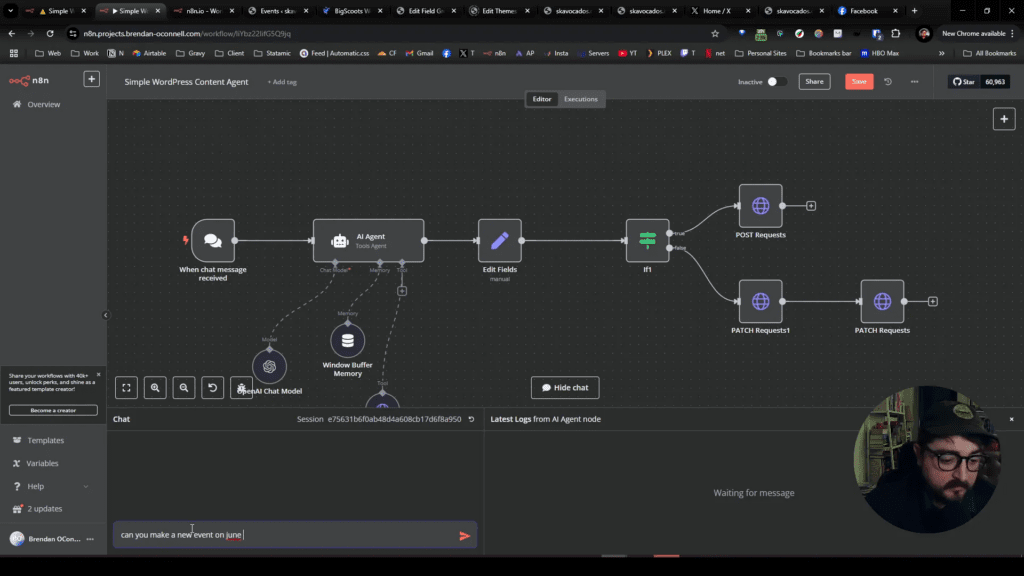
- Build the processing pipeline — especially the transcript → classified outputs flow (likely via [[n8n for Agency Ops]] + Claude)
- Set up the technical infrastructure — vault structure, sync, access controls
- Train the team — “here’s where stuff goes, here’s why it matters”
- Maintain and audit — periodically review classification, check for misfilings, update as needs change
This is one of the areas where the role creates the most trust with the agency owner. You’re the person who makes it safe to put everything in the system.
Decision Framework: What Goes Where?
When in doubt:
Could this damage the business if leaked?
├── YES → Could it damage client relationships?
│   ├── YES → CONFIDENTIAL (or RESTRICTED if legal/HR)
│   └── NO → CONFIDENTIAL
└── NO → Is it meant for staff only?
    ├── YES → INTERNAL
    └── NO → PUBLIC
Default to one tier higher than you think. It’s easy to declassify later. Reclassifying after a leak is impossible.